Kick an Uma Discord — Official Server & Codes
The official Kick an Uma Discord invite (published via Try Hard Guides on September 8, 2026) is the developer channel for code, patch and event announcements. Here is how to join, what to look for and how to avoid fake invites — sources checked October 23, 2026.
This page covers the official invite, common channel roles, code announcements and fake-server warning signs. Use the source link below if the in-game button or channel layout changes.
The Kick an Uma Discord server link, and what replaces the Trello
Kick an Uma Discord invite link
The invite published via Try Hard Guides on September 8, 2026 points at the official 30 dollar games server. Open it from the Discord button inside the game, or check the destination against the source link at the foot of this page before you accept.
Is there a Kick an Uma Trello board?
No public Trello board has been confirmed for Kick an Uma. If you arrived here looking for one, the two things a Trello normally holds already live on this wiki: the dated patch history is on the updates page and the current code status is on the codes page.
Why the invite may stop working
Discord invites are rotated or hit a member cap without notice. If the linked invite fails, use the Discord button inside the Roblox experience as the fallback, then the 30 dollar games Roblox group.
How to join the Kick an Uma Discord
Launch the game first
Open the Roblox experience from a supported device. Look for the Discord icon in the main hub and confirm that its destination matches the invite linked below.
Click the in-game Discord icon
The icon sits near the top-right of the screen. It opens the invite in a browser, while the separate Codes button on the side of the screen opens the in-game code panel.
Accept the invite
Accept the invite and follow the server’s current steps. Use the announcement channel for original developer posts and the wiki table for dated code status.
What the official server provides
The server is the primary developer announcement channel. Milestone and compensation posts can appear there, while the separate codes page is easier to scan when you need current status and copy controls.
Beyond codes, the developer also uses the 30 dollar games Roblox group for milestone announcements such as 30KGROUP. Exact channel names and developer participation can change over time.
A legitimate code does not require payment or Roblox credentials. Leave and report any user or server that asks for money, a password or a login code in exchange for a reward.
What you may find inside the server
- •Developer code announcements
- •Patch notes and Character Rehaul announcements, as they land
- •Group milestones that drive codes such as 30KGROUP
- •Bug reports and developer feedback threads, read by the team
- •Giveaways and community events for players
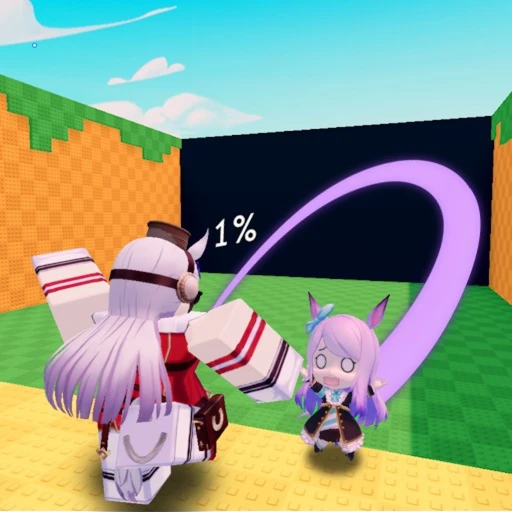
Kick an Uma Discord codes vs. the wiki codes page
The official Discord is where developer code announcements appear, but chat history can be difficult to scan. Our codes page compares announcements with dated tracker sources and presents the entries in an organized table with copy buttons and status notes.
| Source | Speed | Organization | Best for |
|---|---|---|---|
| Kick an Uma Discord | Developer announcement feed | Chat scroll — easy to miss | Catching brand-new codes instantly |
| Wiki codes page | Re-verified after each drop | Clean table with one-click copy buttons | Bulk redeeming and expiry tracking |
Use the server for original announcements, then redeem from the dated codes page so nothing expires before you use it. Patch threads from the server also feed the updates page in plain text.
Common channels inside the server
The announcement channel holds developer posts for codes, patches and events. A codes channel may keep recent strings pinned, while general areas support discussion. Treat the exact layout as changeable.
Announcements channel
The place to look for original milestone and compensation posts from the developer team.
Codes channel, pinned
A pinned, organized list of the latest working codes. Useful when the announcement channel scrolls fast and you only want the working codes.
Roblox group
The 30 dollar games Roblox group also posts milestones that drive codes such as 30KGROUP. Watch it for group-size rewards.
Bug report threads
Threads where players can report bugs and balance feedback. Use the current channel instructions when filing a report.
The layout can change with an update. Compare any code you find there with the dated codes page when you need a clean status record.
How to avoid fake Discord servers
Fake servers can copy a name, logo and code list. Reject any invite that asks for a Roblox password, login code or payment for a reward, and verify the destination against the in-game link or the source trail below. Never share your account information.
How to spot a fake server fast
- ✗Asks you for your Roblox password or a login code
- ✗Sells codes, Robux or in-game items for real money
- ✗DMs you first claiming that you won a giveaway
- ✗Uses a server name with a slight misspelling
The official invite is linked from the codes coverage and from the in-game button.
FAQ
Is there an official Kick an Uma Discord server?
An official invite (https://discord.com/invite/WTWYsXYCw6) was published via Try Hard Guides on September 8, 2026. We link that invite honestly but have not joined or verified the server ourselves, so use the linked codes coverage as the source of the invite.
How do I join the Kick an Uma Discord?
Open the game on Roblox and use the Discord icon in the top-right corner to reach the invite, or open the invite published in the codes coverage. Redemption still happens in Roblox rather than inside Discord.
Why are Kick an Uma codes announced on the Discord?
The developer uses the server and the 30 dollar games Roblox group for milestone and compensation announcements. The wiki codes page then compares those posts with dated tracker sources and presents the current status in one table.
What channels does the Kick an Uma Discord have?
We have not verified the channel list. Expect announcement and codes areas plus general chat, but channel names can change — use the announcement area for developer posts rather than relying on this page as a live channel directory.
Is trading allowed on the Kick an Uma Discord?
The game does not document a player-to-player trading system, so an invite centered on item sales is a warning sign. Use the invite linked from the codes coverage or the in-game button.
Can I redeem codes from the Kick an Uma Discord?
You cannot redeem codes inside Discord. Use the in-game panel: open the Codes button on the side of the screen, paste the string and confirm. The wiki codes page keeps the entries organized with a visible status date.
Is there a Kick an Uma Trello board?
No public Trello board has been confirmed. Players searching for one usually want either the patch record or the code list, and both are kept dated on this wiki instead — the updates page for patches, the codes page for current strings.
Does the Kick an Uma Discord invite expire?
It can. Invites are rotated or hit a member cap without notice. If the invite stops working, open the Roblox experience and use the Discord icon in the top-right corner, which always points at the server the developer currently links.
Sources and verification
These links show where this page's factual inputs came from. Community and independent references are not developer announcements.
- Official Kick an Uma Discord (Official link) - Developer announcements and code drops; invite published in the Try Hard Guides codes article (Sep 8 2026)
- 30 dollar games Roblox group (Official) - Developer group behind Kick an Uma; group milestones drive codes such as 30KGROUP
- Roblox experience listing (Official) - Game identity, developer group, server size, platforms and the official how-to-play description
Page inputs checked .